Run your gym.
Celebrate every new skill.
Classvale runs classes, attendance, levels and skills, invoices and messages for gymnastics, tumbling and cheer clubs, and gives every gymnast a buddy that grows with each skill they land.
Set up in about ten minutes. From $49.99 a month after your free time.
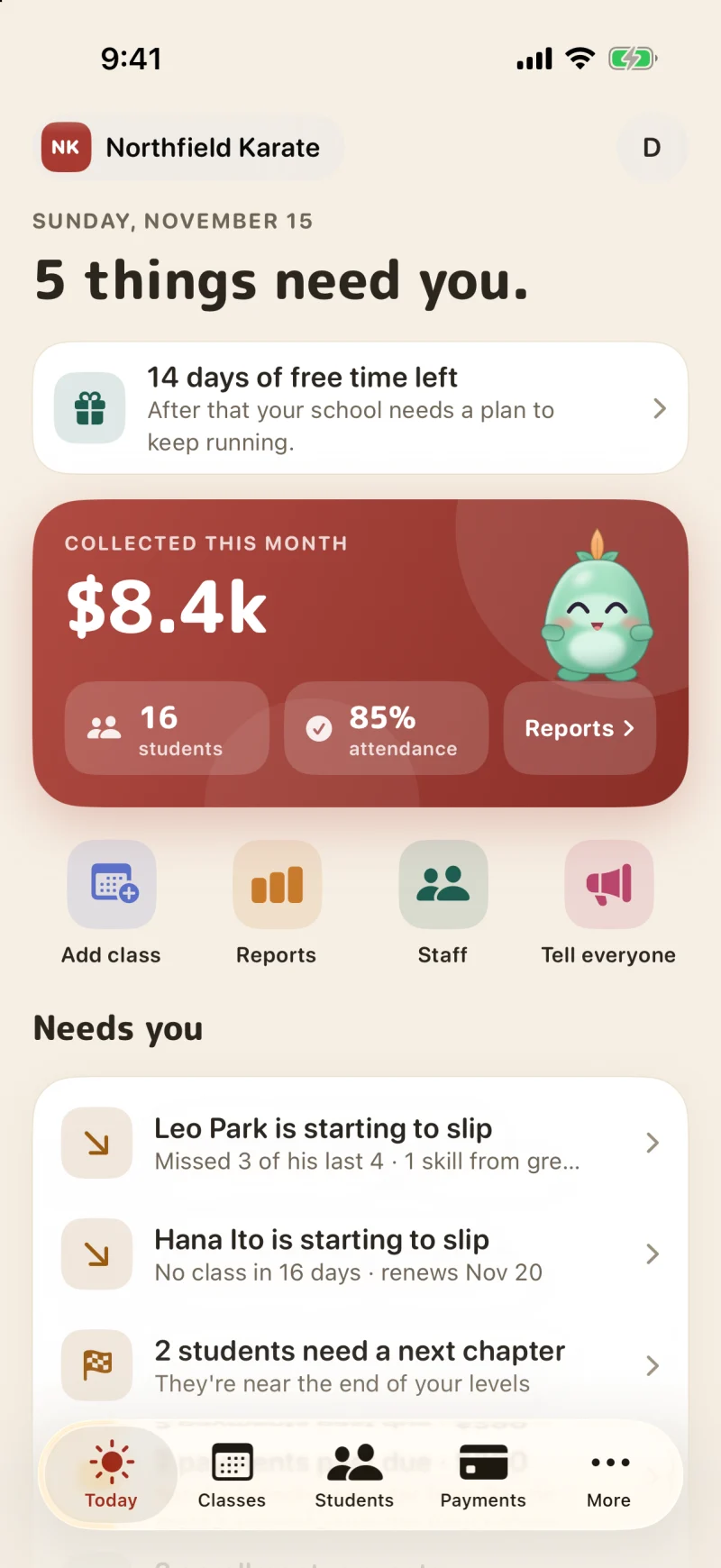
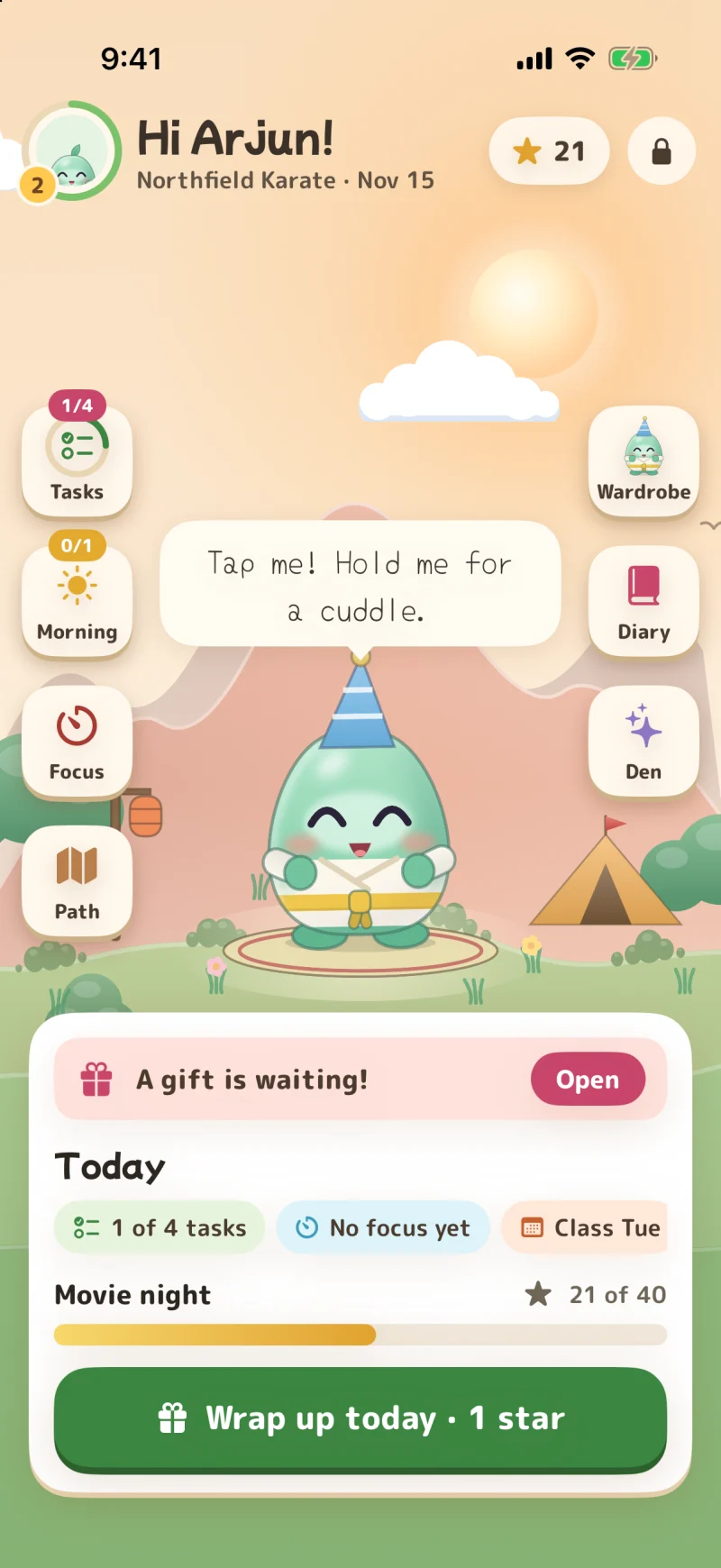
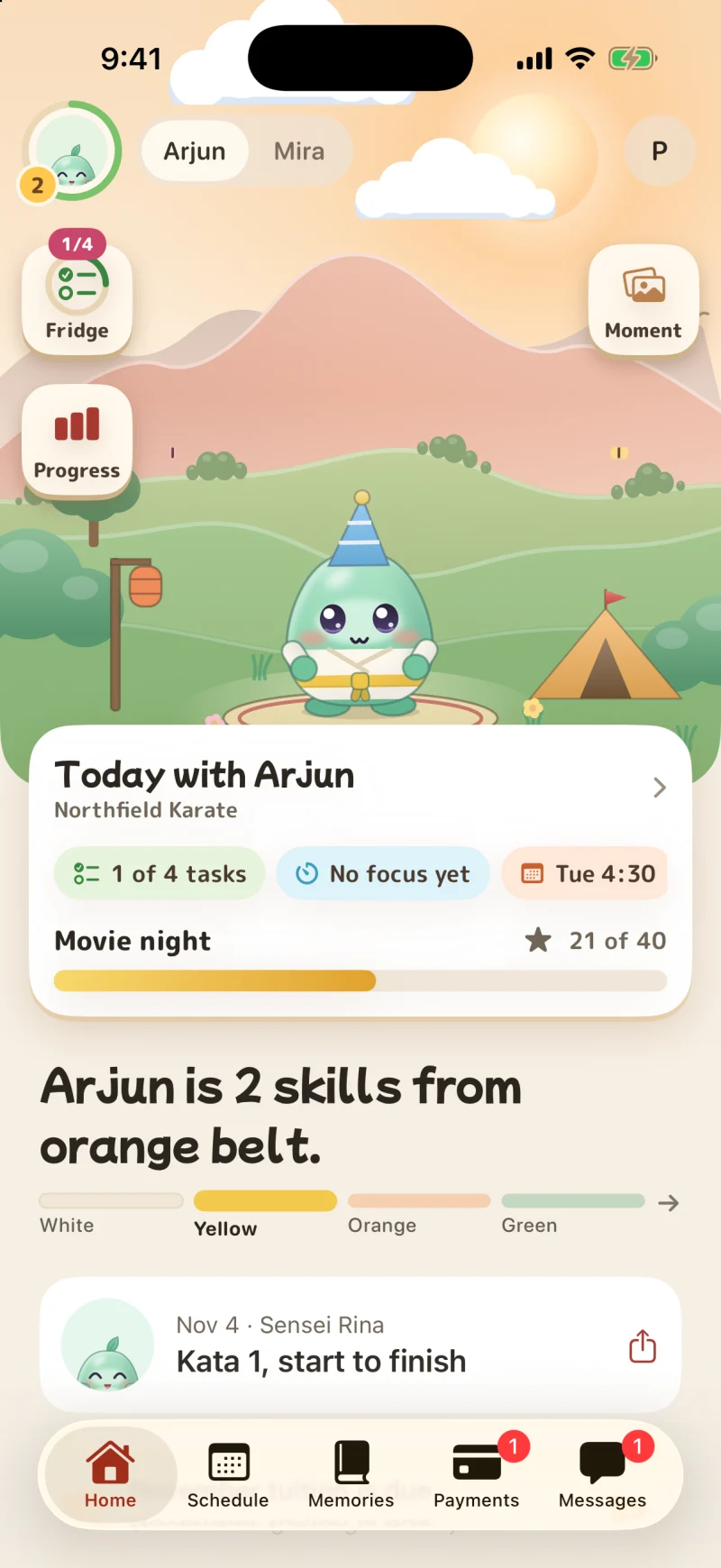
Screens from a demo karate school. Your gym starts with its own levels, classes and colour.
Everything your gym runs on
One place for the register, the ladder, the money and the messages. Nothing to install on the front desk.
The register in seconds
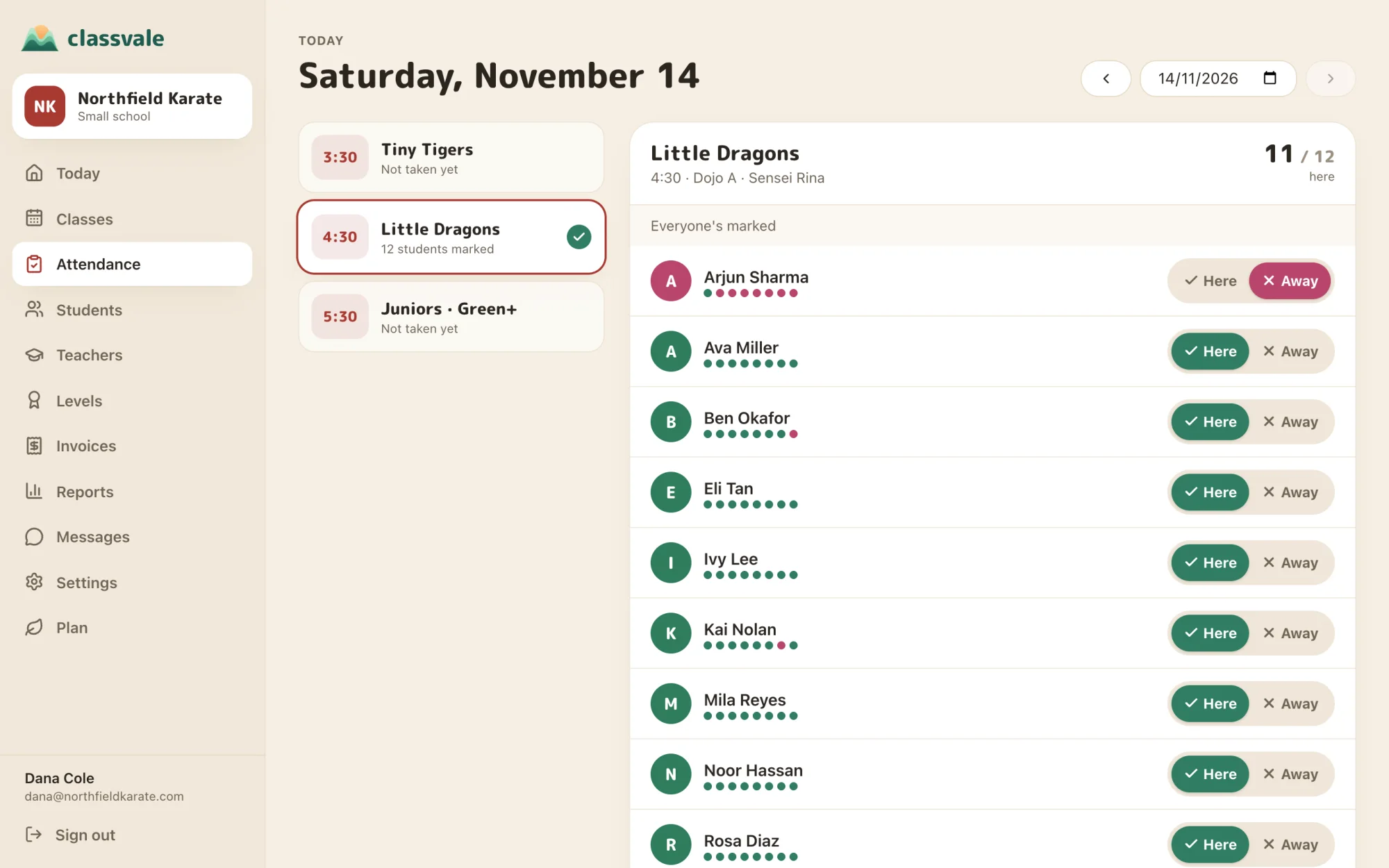
Teachers tap who's here on their phone. Families who said they'd be away are already marked, and you can fix any day from the web.
Levels with no ceiling
Your own ladder, with the skills for each level. Tick a skill in class and the family sees it that night.
Invoices that get paid
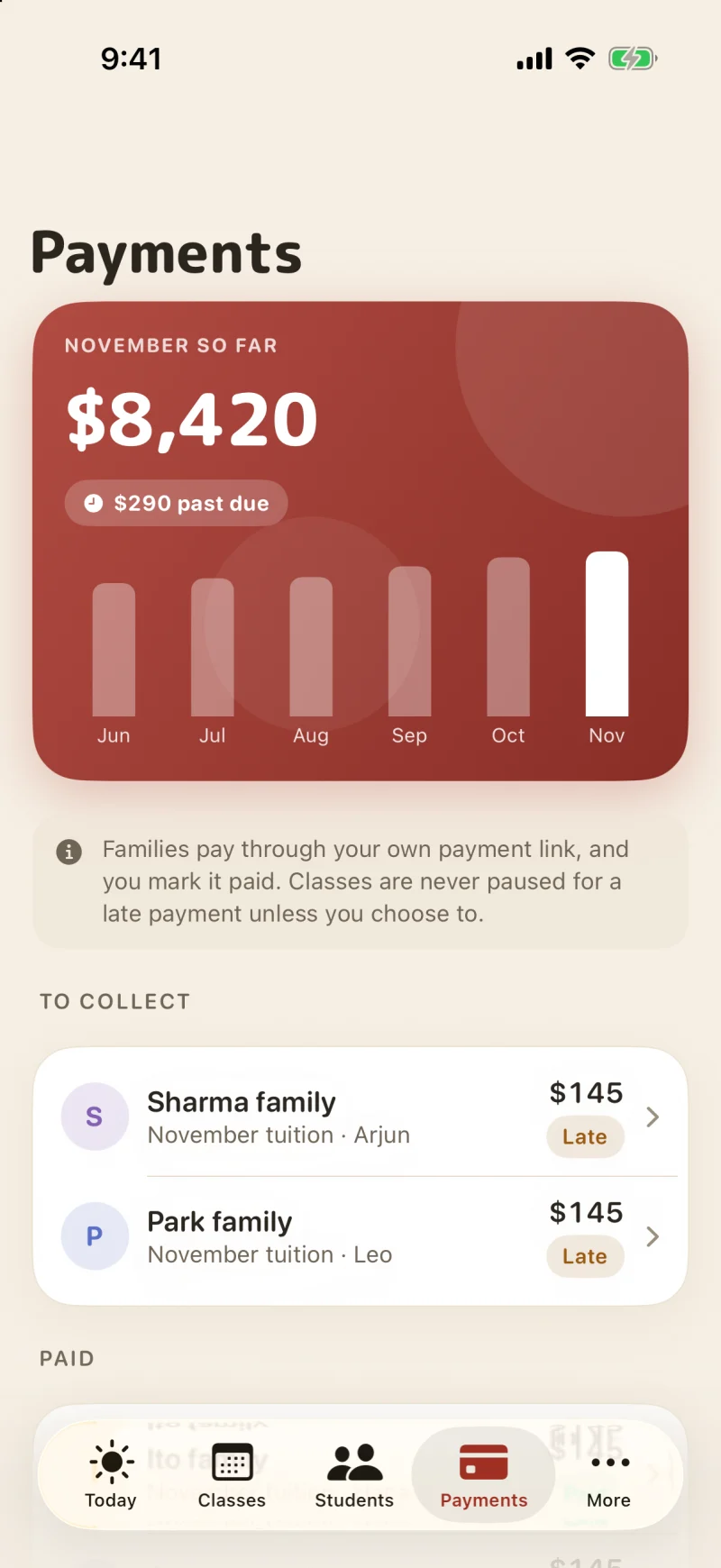
Bill the whole month in one tap. Families pay through your own link, and you see who's late.
Messages, not a group chat
Write to one family, one class or everyone. No personal numbers handed out.
Know who's drifting
Classvale notices when a student starts missing classes, so you can call before they quit.
A page that fills classes
Your own public page with every class and a form to ask for a place. Requests land in your school, ready to accept.
Reports you can read
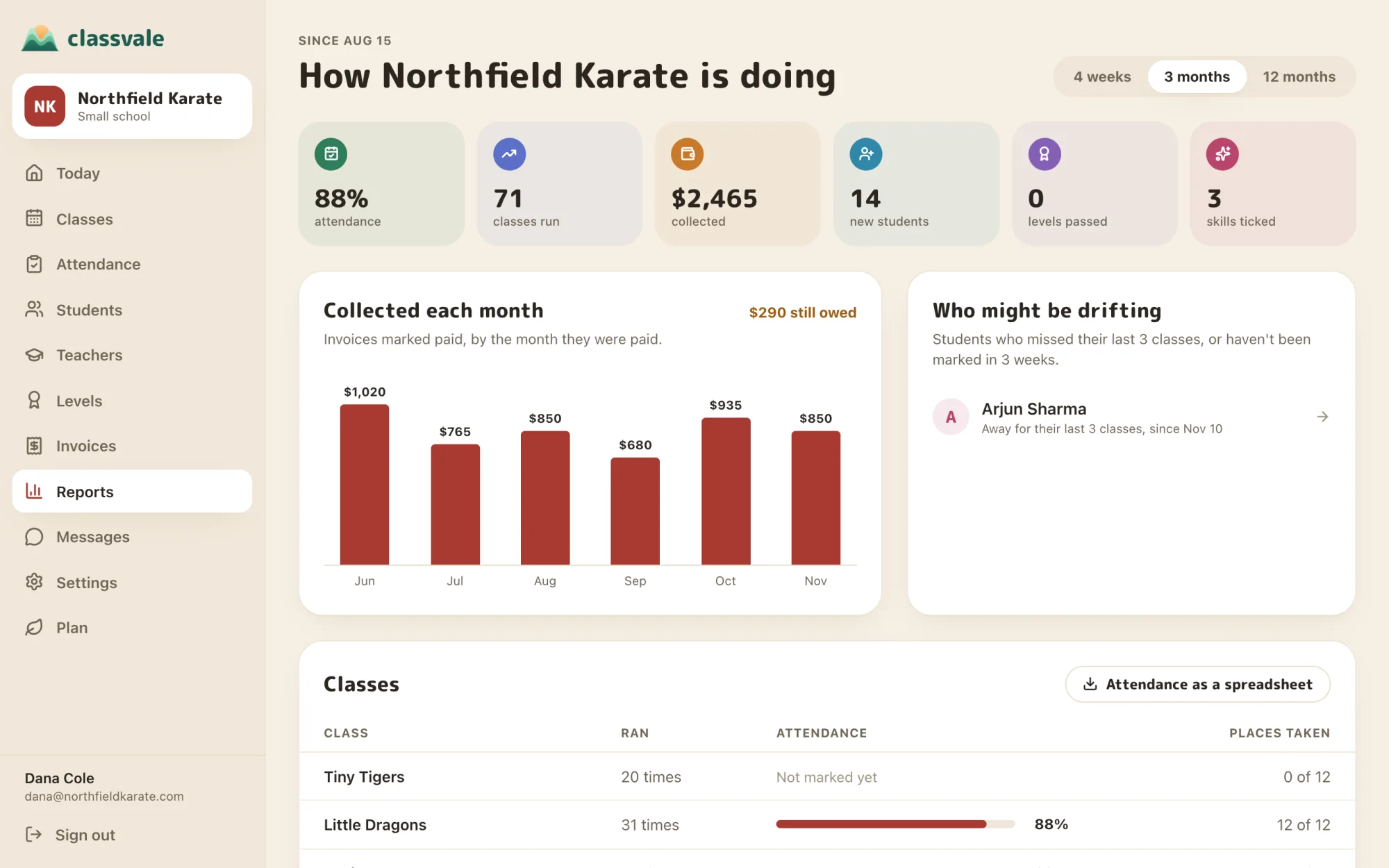
Money by month, attendance by class and where every student is on the ladder. Download any of it as a spreadsheet.
Run it from your laptop
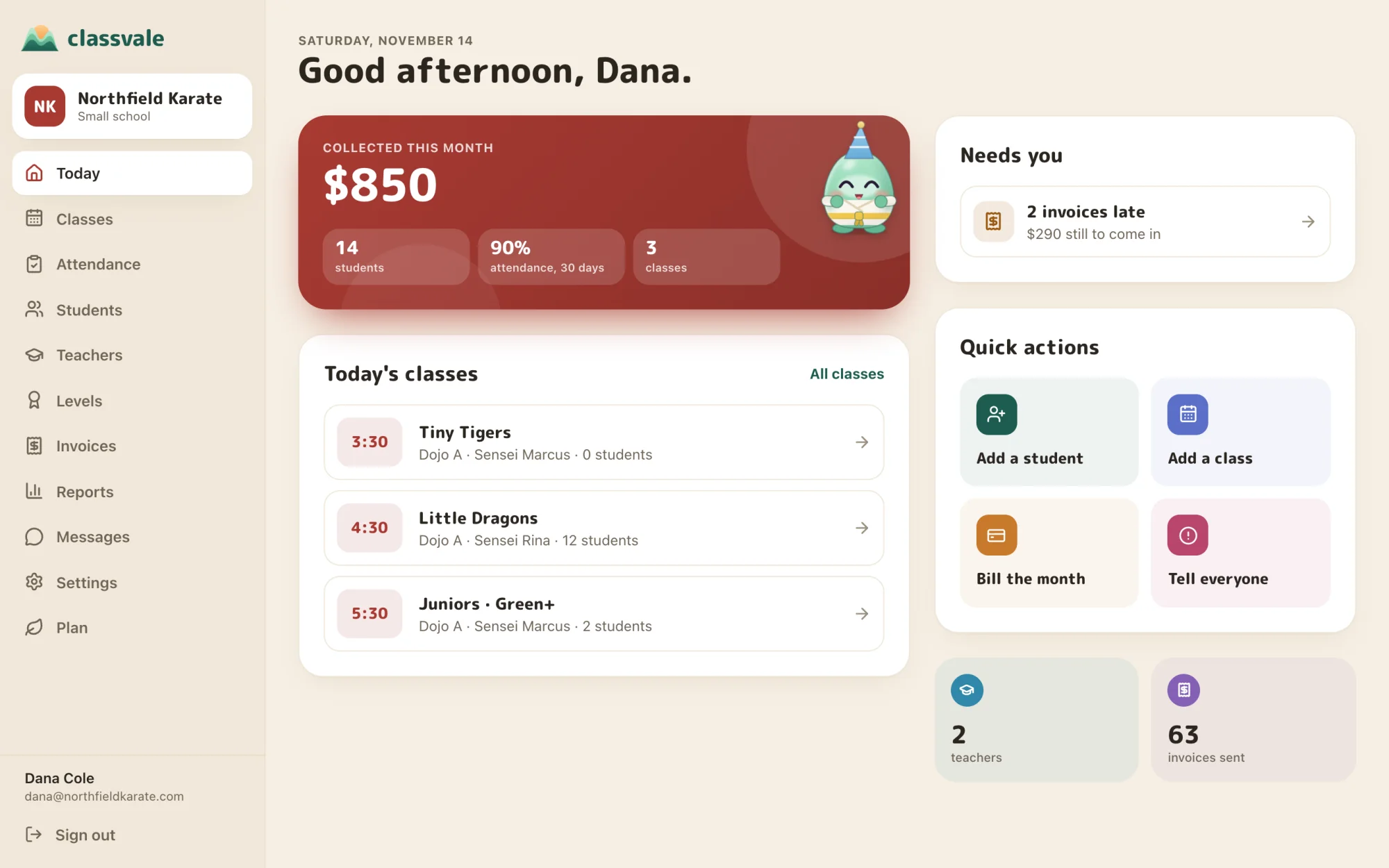
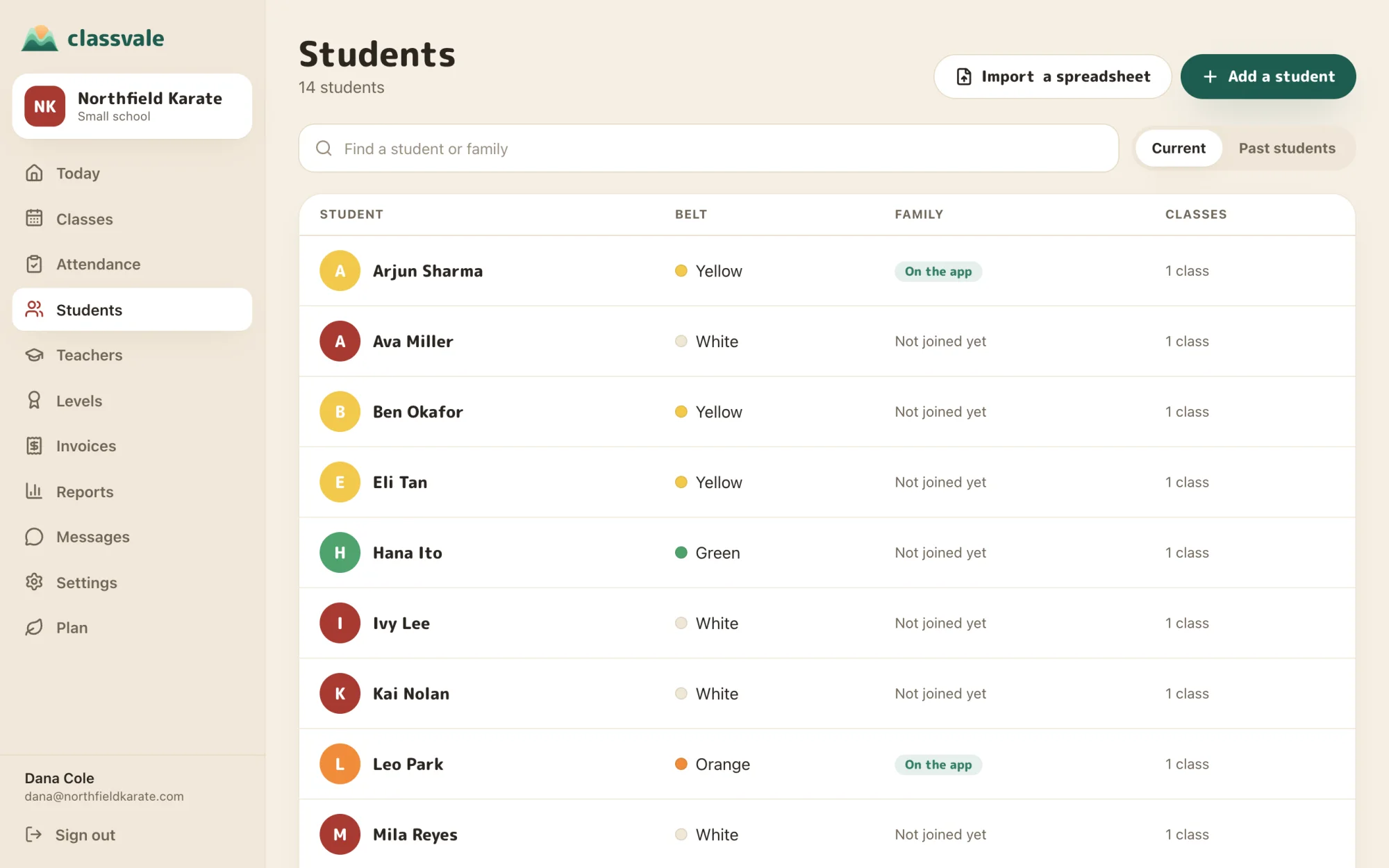
The whole school on the web, with nothing to install. These are real screens from a demo school.
What came in this month, today's classes, and anything that needs you.
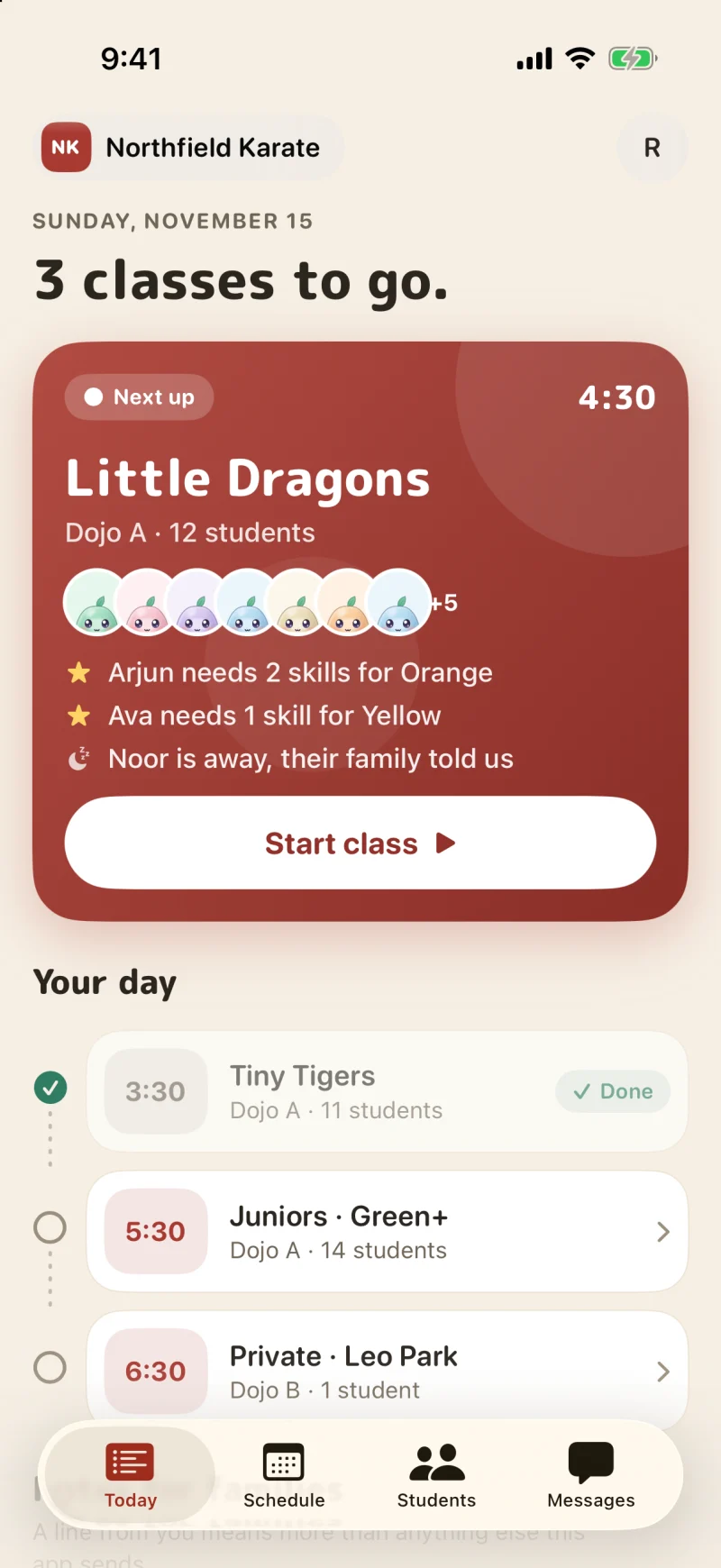
 Classvale Admin, on iPhone
Teachers only need their phone
They open the app, see their classes for the day, and take the register with a tap. Skills and levels are awarded right there in class.
- Join with a code. No training day
- Teachers see only their own classes, never payments
- Medical notes and emergency contacts for the students they teach
 The Classvale app, free for your families
The reason families stay
Children lose interest when they can't see progress. In Classvale every student has a buddy that grows as they earn skills in your classes, so they ask to come back. Parents see the week, the progress and what's due, and get a keepsake each time their child moves up.
Parents without an iPhone join on the web with the same code, and see classes, progress, messages and what's due.
See what families get






From seed to summit: every class a student comes to helps their buddy grow.
Up and running this week
Set up your gym
Pick your ladder, add your classes, and bring your students in from a spreadsheet. About ten minutes.
Invite your teachers
Send each one a code. They join in the Classvale Admin app and see their classes straight away.
Bring in your families
Every student has a code for their family. Print them or send them. Parents join in the Classvale app on iPhone, or on the web from any other phone.
How Classvale is different
Most class software was built for the front desk. Classvale was built for the owner, the teacher and the family.
One thing to know. Classvale doesn't charge families' cards for you. They pay through your own Stripe, Square or PayPal link, or however you take payment now, and you mark the invoice paid. If you need automatic card billing inside the same system, Classvale isn't the right fit yet.
Two prices. Every feature.
The size of your school sets the price. Nothing is locked away, there's no setup fee, and the app costs your families nothing.
See everything that's included · Prices in US dollars · Cancel any time
Built for children's data
Teachers see only their own classes. Families see only their own children. Medical notes stay with staff.
No ads, ever
We don't sell data or show ads to anyone, and a child's data never trains anything.
Your data stays yours
Export everything any time. If you leave, your records come with you.
Questions schools ask
What happens after the free time?+
Every new school gets 14 days with everything open and no card. Before that ends, start a plan from your school's Plan page. If you don't, your school is paused: every record stays safe and readable, but nothing new can be added until a plan starts.
Do families pay anything?+
No. The Classvale app is free for every family at your school. Families who want extra tools at home, like routines and a reward shop, can choose Classvale Family themselves.
How do families pay me?+
Add your own payment link (Stripe, Square, PayPal or similar) and bank details. Families get a Pay button on each invoice, and you mark it paid when the money arrives. Classvale never touches your tuition.
Can I bring my students from a spreadsheet?+
Yes. Export your students as a CSV file from your old system or spreadsheet and import them. Classvale matches names, classes, levels, parents and contact details, and nothing is imported until you've checked it.
Can new families book a trial class?+
Yes. Turn on your public page and tick Offer a free trial class. A family picks a class and a date, you say yes, and the student is on that day's register. Nobody is billed for a trial, and afterwards you mark whether they joined.
What about make-up classes and holidays?+
Book a student into any other class for one date as a make-up: the teacher sees them on the register and the family is told. Close the school for a day or a whole break in Settings, and those dates drop off every family's schedule.
Can students check themselves in?+
Yes. Turn on the check-in tablet under Attendance and open its link on a tablet by the door. Students tap their name as they arrive and are marked here on today's register. The tablet is never signed in to your school, and it shows first names only.
Can I run camps, workshops and grading days?+
Yes. Add an event with its dates, places and price. Families sign their children up from their home page, a full event keeps a waitlist, and a place that costs something makes an invoice. Put it on your public page and new families can ask for a place too.
What do teachers see?+
Only their own classes and students, with medical notes and emergency contacts for the people they teach. Teachers never see payments.
Which apps do we need?+
Owners and teachers use Classvale Admin on iPhone, and owners can also run everything here on the web. Families and adult students use the Classvale app on iPhone. On any other phone or a computer they join on the web with the same code, and see their classes, progress, messages and what's due.
Is there a setup fee or a contract?+
No. There's no setup fee, no yearly contract and no charge per student. You pay month to month and can stop whenever you like.
What counts as a student?+
Anyone currently on your list. Students who have left don't count, and their records are kept. The small plan holds 100 students at once; when you're ready for number 101, move to the growing plan from your Plan page and carry straight on.
Do you take a cut of what families pay?+
No. Tuition goes straight from the family to you, through your own payment link or however you take payment today. Classvale never holds your money and takes no percentage.
Can I cancel?+
Any time, from your Plan page. Your plan runs to the end of the month you've paid for, and your records stay yours to read and export.
Made for schools that teach

Your next term starts here
Set up tonight, invite your teachers tomorrow, and have families on the app by the weekend.
Start free for 14 daysNo card. No sales call. Cancel any time.